Requirements & Recommendations - Uninstall any previous version Nokia Maps / Nokia OVI Maps. - Delete the entire existing CITIES folder from memory card. - Deletion of above folder is because this new version not compatible with old map structure.
Offline finding tips, make sure use rough names, eg. if u wanna find No. 1, Jalan Timun 24/F, Seksyen 24, Shah Alam, Selangor Darul Ehsan just use the keyword Jalan Timun 24 Shah Alam and the trick will work by finding nearest exact location.
1. Prepare the fresh installation either via Nokia OVI Maps source or alternate source. 2. Copy out the entire CITIES folder from memory card. 3. Do a fresh installation and configuration of the new Nokia OVI maps. 4. Connect device via Mass Storage mode. 5. Delete the entire new CITIES folder from memory card. 6. Copy the backed up old CITIES folder to memory card. 7. Done !
Address Finding Issue After Installation
It seems to be a small issue, where by Nokia might wants the user to go online search for the first time on the Nokia Maps before subsequent searches are performed offline mode. This may due to device authentication data sent online to Nokia for log purpose. Once the first time online search ends, close Nokia OVI Maps and do an offline search. It works !
Nokia OVI Maps Online & Offline Map Searching Issue
1. Setup your WiFi setting. 2. Verify the WiFi functionality (browse some web page). 3. Set the WiFi as 1st priority inside the destination (internet) setting. 4. Set the WiFi as the default access point (for the internet). 5. Delete the WAP / MMS / STREAMING settings and left the 3G Internet (as 2nd priority inside the internet setting). 6. Edit the 3G internet setting and change the "password prompt" to YES. 7. Load up the maps loader. 8. Click on the delete maps from storage. 9. Reload in the maps (at least the malaysia map must be selected). 10. Load as well the voice guidance file. 11. Wait for all the downloading and uploading finished. 12. Run Location and disable the agps and network under positioning setting. 13. Run the OVI maps. 14. When the 3G internet prompt up select cancel (do not connect) (if it still pop up, suppose wont because we already disable A-GPS and network in Location setting). 15. Go to setting and change the internet to online. 16. Select appropiate voice guidance file. 17. Go outside where more satelite can be search. 18. Now go to my location and wait for the satelite to get a fix (might be take long since no agps) 19. Make sure the red dot are "IN MALAYSIA". 20. Change maps mode as SATELITE view to try the WiFi can download the satelite image (to ensure WiFi is working). 21. Once confirm WiFi working switch back to maps view. 22. Walk around and you will see the GPS is working already (since it already lock, red dot will turn SOLID RED and satellite bar should be green).
The most useful for the 3G internet password prompt when agps and network positioning enable: 1. Select YES during the password prompt you will have A-GPS (fast lock with charges). 2. Select CANCEL during the password prompt you will have full I-GPS (slow lock but FOC).
Steps 18 and 19 are needed because sometime during the first time OVI maps run it will set it "previous' location as some where maybe not within Malaysia and if this happen and you dont have those location maps downloaded in the database then it will direct download from the internet and who know which access point it gonna use (if it use 3G internet then you will lost lots of phone credits for those huge maps data), confirm this if you dont have the maps data install it will direct download the file.
Below is a screenshot shows, full OFFLINE guide, see the GPS INTERNET connection is striked out:
It turns out, it is pretty tough considering my lack of expertise when it comes to Symbian OS phones. I spent 3 days experimenting all possibilities to make it work on my phone. Since it took a lot of my time, I’m going to save yours by teaching you.
Before you do anything, Download the file (80 mb ++) and read all the instructions before hand. It’ll help you to visualize the process.
Download file contains
GarminMobileXTforSymbianS603rdEdition_50040.exe
GarminMobileXTFreeBasemap_4xxxx.exe
GarminMobileXTSupportFiles_4xxxx.exe
gmapsupp.img (Malaysian Map, with DUKE highway)
garmin_kgen.exe
5800_manual.pdf
GarminMobile20_GarminMobileXTOwnersManual.pdf
Note: You can skip part 1.
1. Setting up Apparatus, The Nokia 5800
Back up all data using PC Suite (go to Nokia website).
Soft reset by pressing *#7370#. Should take about 2-3 mins and you lose all your data (except on memory card). But don’t worry, you have back up remember?
On your Nokia 5800, go to Application > Location > Positioning > Positioning Methods. Enable “Assisted GPS” and “Integrated GPS” ONLY. This will ensure you don’t get charge using WAP or 3G network for Internet.
Go to Application > Location > GPS Data > Position > Options > Satellite status. This will show the satellite signals you’re receiving. Be sure you are outdoor in an open area. Balcony doesn’t work well, believe me I’ve tried. Once you’ve got AT LEAST 4 satellite signal, go back indoor, you don’t want people to think you’re crazy, waving your phone around.
Now you’re ready for GarminXT.
2. Installing GarminXT on Nokia 5800.
Once you’ve downloaded, unzip the files to someplace accessible preferably on your desktop. If you haven’t, please download it.
Connect your phone via USB and select ‘Mass storage mode’.
From you PC, double click “GarminMobileXTforSymbianS603rdEdition_50040.exe” to install and wait.
Double click “GarminMobileXTFreeBasemap_4xxxx.exe” to install. Wait..
Double click “GarminMobileXTSupportFiles_4xxxx.exe” to install.
Remove USB connection between PC and phone. When prompted ‘Launch GarminXT’ do not click Yes, just Cancel.
From your phone, go to Menu > Settings > Application Manager > Installation files. There should be GarminXT.sis file. Install it.
3. Cracking GarminXT on Nokia 5800.
Tell yourself and say “Yes, I’m a cheapskate”.
Run GarminXT from your phone at Menu > Application > Garmin. It will prompt you with some settings. Choose your preferable.
Select “Use other device” when it prompts you to buy or trial. You will get a screen, “Where To?” and “View map”
In GarminXT, go to Tools > Settings > About. Jot down “Card ID”, you will need it. Exit GarminXT
On your PC, run “garmin_kgen.exe” and enter the “Card ID” from previous steps.
Generate it and you will get a string of codes. Copy the codes to Notepad and save it as “sw.unl”. *Be sure you don’t save it as sw.unl.txt”*
Connect your phone to PC and select “Mass storage mode”.
Copy “sw.unl” to Garmin folder. Usually located at E:/Garmin.
Copy “gmapsupp.img” from downloaded file to Garmin folder. “gmapsupp.img” is the Malaysian map.
Disconnect your phone from PC.
4. Restore your Nokia 5800
Reconnect your phone via PC Suite.
Restore your settings through back up.
5. Setting up GarminXT on Nokia 5800
You don’t need your PC anymore. Shut down and conserve energy.
Run GarminXT on your phone.
Go to Tools > Settings > System > Remote GPS. Change to “Use Attached GPS” by disabling the “Bluetooth GPS”.
Go to Tools > Manage My Data > Map Sets > MapSource. Make sure all maps are enabled.
6. Toying GarminXT on Nokia 5800.
Switch off your fans and lights. Go out.
Run GarminXT, (duh!).
Select “View Map” and wait for a while. The satellite will find you. It took me 5 mins or so. Just have patience and faith.
Now you’ll see where you are.
Go back and select “Where To?”. If you’re at home and wants GarminXT to store you current location as home, then select “Home”
“Where To?” is rather confusing. I usually use “Where To?” > Point of interest. There’s lots of shopping malls, hospitals, banks, ATM machines etc. from there, you’d know where to go.
Pat yourself and say “Well done”. The rest is up to you.
Note: I will NOT be providing support. If it doesn’t work for you, you can leave a comment and hope someone will rescue you. Google it!
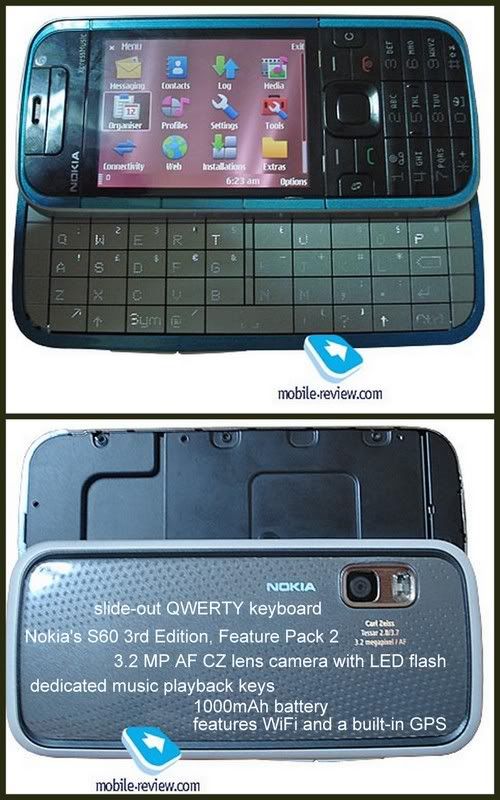
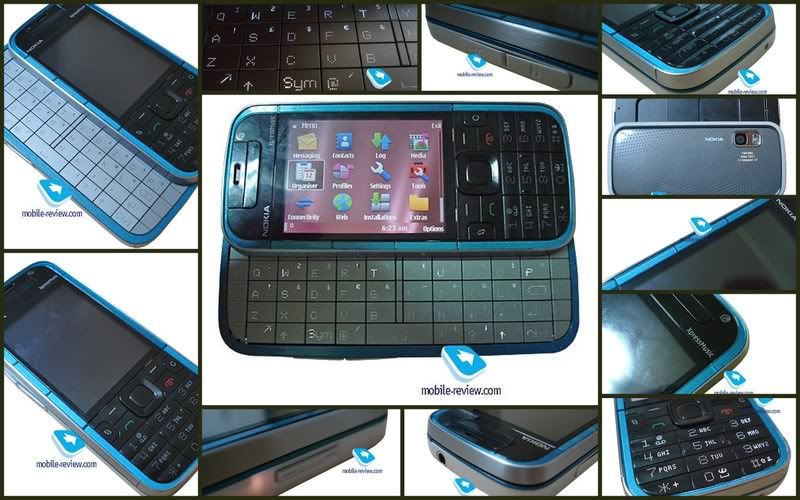
The only reason why they have thrown the Nokia 5730 into their music-minded line-up is that Nokia are trying to sell the same phone and form-factor in to two different flavors so as to win as big a share as possible.
In fact, it wouldn’t be a mistake to say that they are forging a new segment of side-sliders with thumbboards, instead of assessing every Nokia-branded phone of this kind separately.
While the Nokia 5730 won’t face any sort of direct competition, this fact alone doesn’t guarantee it will be sell in droves. In fact, its predecessor, the Nokia 5320 didn’t have any rivals either, but it never became a particularly popular offering.
On top of that, the Nokia 5800 XpressMusic will be hard to compete with, given that they will be only 60 Euro away from each other price-wise. That’s why the 5730 XpressMusic’s main goal is to pad Nokia’s portfolio and maybe generate some sales, but that’s about it.
The 5730 XpressMusic’s image quality is little to no different from that of the Nokia N78
Its sales will kick off in April at the price-point of around 220 Euro, which makes it a viable option for those who are in the market for a cheap QWERTY-enabled smartphone. But, again, it’s still a niche product, so don’t expect any breakthroughs from it.
P.S. Later this week you’ll see the official announcement of this phone – probably on Wednesday. Don’t forget to check back for our world’s first review of the Nokia 5730 XpressMusic!
The Folks at Nokia Conversation was once again first with unveiling another Nokia touchscreen phone. Heres the Nokia 5230 Press release:
Nokia has just popped open its paint pot and pulled out the new Nokia 5230 in a range of custom colours. The latest handset to join the touchscreen fold, the Nokia 5230 has been designed to serve up slick on-the-go entertainment, location-based services and act as an easy pocket portal for social networking at low cost. Read on for more details and get a close-up look at the 5230 in our photo gallery.
Brandishing a 3.2-inch widescreen touch display with full-screen QWERTY keyboard and handwriting recognition, the Nokia 5230 is geared up to enable you to rattle out messages at speed. Paired with speedy HSDPA connectivity, this means staying in the loop and keeping your Facebook and Twitter streams promises to be a no-wait affair. Ovi Store is nestled neatly on the homescreen from the moment you switch on the device, ensuring you can get instant anywhere access to quality bite-size apps.
Music is its first love though, with the 5230 bringing 33 hours of playback time (long battery life was recently voted the most important feature in a music phone by you guys - so we’re stoked to see that), a 3.5mm headphone jack and memory expandable up to 16GB via a microSD card. Two versions of the phone will launch - a standard device costing 149 Euros, and in some select areas a Comes With Music version will be available for 259 Euros for those keen on all-you-can-eat downloads.
Jo Harlow is Vice President at Nokia, and had this to say about today’s news of the upcoming 5230:
“Competitively priced at 149 Euros, we believe the Nokia 5230 is an unbeatable offer for many new customers who aspire a device that stars in music, mingles with social networks from Facebook to MySpace, navigates you to where it happens, when it happens, and comes in array of dazzling colors”
Other features include assisted-GPS with Ovi Maps, Nokia’s new Contacts bar on the homescreen, a 2 megapixel camera and Bluetooth 2.0.
FULL SPECIFICATION
Physical, Power and Memory Size
* Form: Classic with touchscreen * Dimensions: 111 x 51.7 x 14.5/15.5 mm * Weight: 113 g (without stylus) * Weight: 115 g (with stylus) * Volume: 78 cc (without stylus) / 83 cc (with stylus) * Responsive touchscreen with tactile feedback * Accelerometer for auto-rotate * Proximity sensor to save power and prevent inadvertent touches
Display and 3D
* Size: 3.2" * Resolution: 640 x 360 pixels (nHD) with 16:9 picture * Up to 16.7 million colours * Full touchscreen display
Keys and input method
* Touchscreen * Dedicated keys for camera, volume, power, send & end, and application launch (menu), plus the media bar touch key for accessing music, gallery, share online, video centre and web browser * Homescreen music plug-in for pause/play, forward, back * Voice commands
* Micro-USB connector, USB 2.0 high speed * 3.5 mm Nokia AV connector
Memory
* microSD memory card slot, with hot swap max. 16 GB * 70 MB internal dynamic memory
Power
* BL-5J 1320 mAh Li-Ion standard battery * Talk time (maximum) - GSM 7 h - WCDMA 4 h 18 min * Standby time (maximum) - GSM up to 438 h - WCDMA up to 458 h * Video playback time (maximum): Mpeg-4 4.6hours, nHD 3 hours * Music playback time (maximum): 33 h
Communication & Navigation Operating frequency
* Dual band 900/2100 WCDMA and 850/1900 WCDMA * GSM/EDGE 850/900/1800/1900 * Automatic switching between GSM bands * Flight mode
Data network
* CSD * HSCSD * GPRS/EGPRS Class B, multislot class 32, maximum speed 177/296kbps (DL/UL) * EDGE class B, multislot class 32, maximum speed 177/296 kbps (DL/UL) * WCDMA 2100, maximum speed PS 384/384 kbps (UL/DL), CS 64 kbps * HSDPA, cat. 6, maximum speed 3.6 Mbps (DL) * TCP/IP support
Local connectivity and synchronisation
* Bluetooth version 2.0 - Bluetooth profiles: A2DP, AVRCP * MTP (Mobile Transfer Protocol) support * Direct printing to compatible picture printers * Support for PC synchronisation with Nokia Ovi Suite
Service
* Speaker-independent name dialling (SIND)
Call features
* Integrated hands-free speakerphone * Number screening for messaging and calls * Automatic answer with headset or car kit * Any key answer * Call waiting, call hold, call divert * Call timer * Logging of dialled, received and missed calls * Automatic redial * Speed dialling * Voice dialling: speaker independent dialling and voice commands (SIND) * Fixed dialling number support * Vibrating alert (internal), also with tactile feedback * Side volume keys * Mute/unmute * Contacts bar for 20 contacts with images and communication history (SMS, email, web feeds) * Talking ring tones * Conference calling with up to 6 participants
Messaging
* SMS * Multiple SMS deletion * MMS version 1.3, message size up to 600 kb * Automatic resizing of images for MMS * Nokia Xpress audio messaging * Common inbox for SMS and MMS messages * Number screening for messaging * Distribution lists for messaging * Cell broadcast
E-mail
* Supported protocols: IMAP, POP, SMTP * Support for e-mail attachments * OMA e-mail notification support * Mail for Exchange 2008 preinstalled
Web browsing
* Supported markup languages: HTML, XHTML, WML * Supported protocols: HTTP, WAP, JavaScript * TCP/IP support * OSS browser * Nokia Mobile Search
GPS and navigation
* Integrated A-GPS * Ovi Maps 3.0 application
Image & Sound Photography
* 2 megapixel camera * Image formats: JPEG * CMOS sensor * 3x digital zoom * White balance modes: automatic, sunny, cloudy, incandescent, fluorescent * Center weighted auto exposure; exposure compensation: +2 ~ -2EV at 0.5 step * Colour tone modes: normal, sepia, black & white, vivid, negative * Dedicated camera key * Landscape (horizontal) orientation * Photo editor on device
Video
* Main camera - Video recording at up to 640 x 480 pixels and up to 30 fps (TV high quality), up to 640 x 352 pixels and up to 30 fps (widescreen quality), up to 320 x 240 pixels and up to 30 fps/15 fps (email high/normal quality), up to 176 x 144 and up to 15 fps (sharing quality) - Up to 4x digital zoom * Video recording file formats: .mp4, .3gp * Audio recording formats: WAV (normal), AMR (MMS), AAC/MP4 (high quality) * Video white balance modes: automatic, sunny, cloudy, incandescent, fluorescent * Scene modes: automatic, night * Colour tone modes: normal, sepia, black & white, vivid, negative * Clip length (maximum): 1 h 30 min (high or normal quality). Dependable on available memory * RealPlayer * Video playback file formats: MPEG4-SP playback 30fps VGA, MPEG4-AVC playback 30fps QVGA, WMV9 playback 30fps QVGA, MPEG4-SP playback 30 fps nHD * Video streaming: 3GPP and CIF * Landscape mode video playback * Video ring tones * Video editor on device * Video Centre service supported: download and stream video content, WMV support, video feeds
Music and audio playback
* Music playback file formats: MP3, MP4, AAC, eAAC+, WMA * Dedicated music keys * FM radio * 3.5 mm stereo headphone plug * 2.5 mm Nokia AV connector * Nokia Music * Nokia Music Store support * Nokia Podcasting support * Ring tones: mp3, aac, 64-tone polyphonic (64 built-in tones) * Integrated speaker
Voice and audio recording
* Voice commands * Voice dialling
Personalisation: profiles, themes, ring tones
* Ring tones: 3D, 64-tone polyphonic, mp3 and video ring tones * Video ring tone
It is well known fact that Nokia likes viral marketing and stealth-like product placements in movies and music videos and TV shows. Company's product placements that we have covered so far incloudes Nokia N81 which was spotted in Alicia Key’s music video, SuperNova made an appearance in Fall Out Boy's I Don’t Care video while the Nokia N96 plays leading role in Katy Perry’s 'Hot N Cold' clip!
Nokia 5800 is king of them all, one of the most advertised Nokia's product ever appeared in the Batman: The Dark Knight movie, latest Britney’s 'Womanizer' video clip, Christina Aguilera's 'Keeps Gettin' Better' music clip, Pussycat Dolls' Jai Ho spot and the last apperance was in the very popular Flo Rida's video spot for Right Round single.
Now Nokia goes one step further as their mysterious full touch screen device based on the company’s uber-sexy looking Aeon concept plays main role in recently released Echelon Conspiracy movie! It indeed doesn’t looks like the Aeon as it lacks slightly curved figure, but the main designers idea is ripped very well.
Mysterious cell phone messages promise a young American engineer untold wealth — then make him the target of a deadly international plot. Dangerous security operatives chase the engineer across the globe, while a powerful government official pursues a mysterious agenda that threatens the stability of the entire world.
"Echelon Conspiracy" combines a righteous message about out-of-control government surveillance with the old computer-gone-haywire plot to make - well, not very much, actually.
1. Download and Install User Agent Add-On - https://addons.mozilla.org/en-US/firefox/addon/59 2. Restart Mozilla FireFox. 3. Goto Tools -> Default User Agent -> Edit User Agent. 4. Click New -> New User Agent. 5. Fill Description with "Nokia 5800XM". 6. Fill / Replace the User Agent row at bottom with User Agent code below. 7. Press OK and exit. 8. Now switch from Default User Agent to Nokia 5800XM (Click Tools -> Default User Agent -> Nokia 5800XM). 8. Now surf & download stuffs from http://store.ovi.mobi/
User Agent Codes
Nokia 5800XM (Copy Paste the Blue link below) Mozilla/5.0 (SymbianOS/9.4; U; Series60/5.0 Nokia5800d-1/40.0.005; Profile/MIDP-2.1 Configuration/CLDC-1.1) AppleWebKit/413 (KHTML, like Gecko) Safari/413
Nokia N97 (Copy Paste the Blue link below) Mozilla/5.0 (SymbianOS/9.4; Series60/5.0 NokiaN97-1/10.0.012; Profile/MIDP-2.1 Configuration/CLDC-1.1; en-us) AppleWebKit/525 (KHTML, like Gecko) WicKed/7.1.123
Enhance your Symbian S60 phone with application, games, wireless tools, mobile email, themes, documents and skins plus hundreds of other useful tools within this category.
Travellers Documents
» Click to show Spoiler - click again to hide... «
Original Nokia 5800 XpressMusic & Navigation Edition Themes
Nokia 5800 XpressMusic Original Themes
If you just bought a Nokia 5800XM, you might have one of the 3 available colors, Red, Black, or Blue. Each came with their own specific colored theme. If you want to see how the other colors look on your Nokia 5800 look no further and download it.
Nokia 5800XM Firmware Updating Tutorial via Nokia Software Updater
Nokia 5800 XM Supports User Data Preservation (UDP) lets users upgrade their firmware without losing data (such as contacts, settings or installed applications).
* Form: Classic with finger-operated capacitive touch screen user interface * Dimensions: 111.0 x 51.0 x 13.8 mm * Weight: 122 g
Display and 3D
* Size: 3.2" * Resolution: 640 x 360 pixels (nHD) * Up to 16.7 million colours * Automatic orientation sensor (Accelerometer) for display rotation * 16:9 widescreen aspect ratio
Keys and input method
* Finger-operated touch screen for text input and user interface control (alphanumeric keypad, full and mini QWERTY keyboard, handwriting recognition, full screen handwriting for Chinese language) * Dedicated Media Bar touch key for access to music, gallery, share online, Video Centre and web browser * Voice commands * Physical keys for application launch (menu key), send and end, power, camera, lock, volume up and down * Dedicated personal Contacts Bar touch key for direct access to contacts, feeds and status updates
Colours and covers
* Available in-box colours: - White/Blue - Black/Red
Connectors
* Micro USB connector for USB 2.0 High Speed to PC * 3.5 mm Nokia AV connector for audio and TV-out * Small DC jack
Memory
* 32 GB internal memory * 128MB ram
Power
* BL-5J 1320 mAh Li-Ion standard battery * Talk time (maximum): - GSM 8 h 30 min - WCDMA 6 h * Standby time (maximum): - GSM 401 h - WCDMA 420 h * Video playback time (maximum): H51nHD 25 fps up to 3 h 36 min * Video recording time (maximum): 3 h 30 min * Video call time (maximum): 3 h * Music playback time (maximum): 35 h
Communication and navigation Operating frequency
* WCDMA 900/1900/2100, GSM/EDGE 850/900/1800/1900 * GSM/EDGE 850/900/1800/1900 (Latin America and Brazil variant only) * WCDMA 900/1900/2100, GSM/EDGE 850/900/1800/1900, 2G QB (China variant) * Automatic switching between GSM bands * Flight mode
Data network
* CSD * HSCSD * GPRS/EDGE class A, multislot class 11, with similtaneous voice and packet data mode support * GPRS/EDGE class B, multislot class 32 * WCDMA 2100/1900 with similtaneous voice and packet data mode support * HSDPA cat 6, maximum speed 3.6 Mbps (DL) * WLAN IEEE 802.11 b/g * TCP/IP support
Local connectivity and synchronisation
* Bluetooth version 2.0 with Enhanced Data Rate * MTP (Mobile Transfer Protocol) support * TV out (PAL) * Support for PC synchronisation with Nokia Ovi Suite
Call features
* Integrated hands-free speakerphone * Number screening for messaging and calls * Automatic answer with headset or car kit * Any key answer * Call waiting, call hold, call divert * Call timer * Logging of dialled, received and missed calls * Automatic redial * Speed dialling * Speaker-independent name dialling (SIND) * Fixed dialling number support * Vibrating alert (internal) * Side volume keys * Mute/unmute * Contacts Bar for 20 contacts with images and comminication history (SMS, calls, instant messaging, email, web feeds) * Talking ring tones * Conference calling with up to 6 participants * Video calling: up to 176 x 144 pixels, low up to 5 fps, normal up to 10 fps, smooth up to 15 fps
Messaging
* SMS with support for concatenated SMS for long messages * Multiple SMS deletion * MMS version 13, message size up to 600 kb * Automatic resizing of images for MMS * Nokia Xpress audio messaging * Common inbox for SMS and MMS messages * Number screening for messaging * Distribution lists for messaging * Instant messaging client * Cell broadcast
E-mail
* Supported protocols: IMAP, POP, SMTP * Support for email attachments * OMA email notification support * Nokia Email * Mail for Exchange* * Some services may be available only by downloading or upgrading. Only devices that offer compatible multimedia message or e-mail features can receive and display multimedia messages. Content appearance may vary. Some images and ring tones can not be forwarded.
Web browsing
* Supported mark-up languages: HTML, XHTML, WML * Supported protocols: HTTP, WAP, JavaScript * TCP/IP support * OSS web browser * Nokia Mobile Search
GPS and navigation
* Integrated A-GPS * Ovi Maps 3.0
Image and sound Photography
* 5.0 megapixel AF camera (2592 x 1944 pixels) * Image formats: JPEG/EXIF * Carl Zeiss optics * 4x digital zoom * Autofocus * Dual LED flash * Flash modes: On, off, automatic, red-eye reduction * White balance modes: automatic, sunny, cloudy, incandescent, fluorescent * Centre weighted auto exposure; exposure compensation: +2 ~ -2EV at 0.5 step * Capture modes: still, sequence, self-timer, video * Scene modes: automatic, manual, portrait, landscape, night, night portrait * Colour tone modes: normal, sepia, black & white, vivid, negative * Dedicated camera key * Landscape (horizontal) orientation * Image editor on device * Direct printing to compatible picture printers * TV out (PAL)
Video
* Main camera - Video recording at up to 640 x 480 pixels and up to 30 fps (TV quality), up to 640 x 352 pixels and up to 30 fps (widescreen quality), up to 320 x 240 pixels and up to 30 fps/15 fps (email high/normal quality), up to 176 x 144 and up to 15 fps (sharing quality) - Up to 4x digital video zoom * Front camera - Video recording at up to 176 x 144 pixels, low up to 5 fps, normal up to 10 fps, smooth up to 15 fps * Video recording file formats: MP4, 3GP * Audio recording formats: WAV (normal), AMR (MMS), AAC/MP4 (high quality) * Video white balance modes: automatic, sunny, cloudy, incandescent, fluorescent * Scene modes: automatic, night * Colour tone modes: normal, sepia, black & white, vivid, negative * Clip length (maximum): 1 h 30 min (high or normal quality). Depending on available memory * RealPlayer * Video playback file formats: MPEG4-SP playback 30 fps VGA, MPEG4-AVC playback 30 fps QVGA, WMV9 playback 30 fps QVGA, MPEG4-SP playback 30 fps nHD * Video streaming: 3GPP, CIF * Landscape mode video playback * Video calling: up to 176 x 144 pixels, low up to 5 fps, normal up to 10 fps, smooth up to 15 fps * TV out (PAL) * Video editor on device * Video Centre service supported: download and stream video content, WMV support, video feeds
Music and audio playback
* Nokia Nseries digital music player - Playlists - 8-band graphical equaliser - Selection by artist, composers, album and genre - Album graphics display - Bass booster, stereo widening, loudness * Music playback file formats: mp3, SPMidi, AAC, AAC+, eAAC+, WMA * Dedicated volume keys and immediate access to the Music Player from the Media Bar * Stereo FM radio * 3.5 mm Nokia AV connector * Nokia Music * Nokia Music Store support * Nokia Podcasting support * Ring tones: 3D stereo ring tones, 64-tone polyphonic, mp3 & video ring tones (3 videos and 9 mp3 songs built-in) * Integrated 3D sound effect stereo speakers (dedicated audio chip for crystal clear hi-fi sound quality)
* Customisable profiles * Ring tones: 3D stereo ring tones, 64-tone polyphonic, mp3 & video ring tones
Software Software platform and user interface
* S60 5th Edition * Symbian OS version 9.4 * Active standby * Media Bar * Contacts Bar
Personal information management (PIM): contacts, clock, calendar etc.
* Support for assigning images to contacts * Support for contact groups * Clock: analog, digital, world clock * Alarm clock * Reminders * Calculator * Calendar with week and month view * Converter * Notes * To-do list
Applications
* Java™ MIDP 2.0 * Flash Lite 3.0 * Contacts on Ovi * OSS web browser * Switch, Say and Play * Shazam * Aircasting * Pic2Themes * Nokia Music Store * Ovi Maps 3.0 * Map loader * Nokia Ovi Suite * Download! * Settings Wizard * Image editor * Video editor * Nokia Video Centre * Share on Ovi * Adding more applications: - Over-the-air (OTA) downloads
Gaming
* Included games: - Spore - D Mix Tour - Asphalt4
Sales package contents
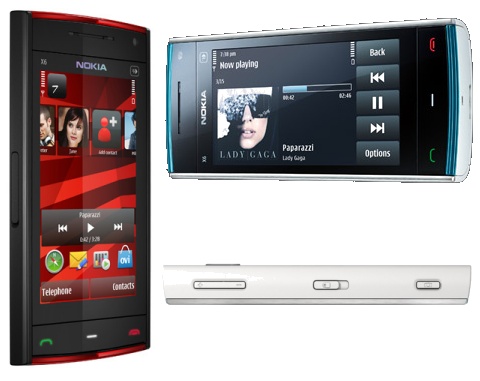
* Nokia X6 * Nokia Battery (BL-5J) * Nokia High Efficiency Charger (AC-8) * Nokia Connectivity Cable (CA-101) * Nokia Stereo Headset (WH-500) * User Guide * Mini DVD * Comes With Music leaflet
If above is TLDR for you, here's a summary.
Pros: -3.2" 16:9 nHD screen -32gb internal memory -5mp carl zeiss dual LED flash -GPS & Wifi
Announced at Nokia's Remix event in London, at the beginning of October 2008, the Nokia 5800 XpressMusic is a mid-range, music focused phone, running S60 5th Edition on Symbian OS 9.4, with a 3.2 megapixel camera, integrated GPS, WiFi and HSDPA connectivity, and a 3.2 inch touch screen. It's the last item on this feature list which draws attention to what would otherwise be a fairly standard mid range phone. There's no doubt that it is going to garner attention, coming in the wake of the recent spate of touch phones, including, of course, the Apple iPhone. While it's not Nokia's first touch phone (Nokia 7700/7110) or its first recent touch device (Nokia N810), it is the first S60 touch enabled phone and is a significant landmark in Nokia's mobile device story. However, it is worth noting from the start that it is not "Nokia's touch phone", instead it is the first in a portfolio of touch enabled phones from Nokia. From firmware V20.0.012 onwards, the 5800's CPU clock was increased from 369MHz to 434MHz matching the N97 specification. However, improved overall performance can be observed at firmware V30.
On August 2009, Nokia announced a new variant named Nokia 5800 Navigation Edition. In addition to the normal Nokia 5800 it has the latest version of Ovi Maps pre-installed, loaded with a lifetime license of drive and walk navigation (which otherwise requires subscription on the non-Navigation Edition 5800). It also comes with a car charger and car kit inside the box.
Welcome to Nokia 5800 Xpressmusic Thread Features:
General Information
The Nokia 5800XM is a smartphone and portable entertainment device by Nokia. Code-named "Tube," it is the first touchscreen equipped S60 device by Nokia. It's part of the XpressMusic series of phones, which emphasises music and multimedia playback. The touchscreen features tactile feedback (though it doesn't utilise Nokia's upcoming Haptikos technology.). The 5800 has a compatibility mode for Java applications that are not touchscreen-aware. It works by using part of the screen for displaying the essential buttons required by the program. Region Hardware Codes RM-356, RM-427, RM-428 and RM-456
Nokia 5800XM Product Codes List 0573784: APAC1 Black 0573784: APAC1 Black 0576528: APAC1 Black CAMBODIA 0576528: APAC1 Black CAMBODIA 0573786: APAC1 Black MALAYSIA 0573786: APAC1 Black MALAYSIA 0559950: APAC1 BLUE 0559950: APAC1 BLUE 0576527: APAC1 Blue CAMBODIA 0576527: APAC1 Blue CAMBODIA 0576527: APAC1 Blue CAMBODIA 0570197: APAC1 BLUE MALAYSIA 0570197: APAC1 BLUE MALAYSIA 0573794: APAC1 Indonesia Black 0573794: APAC1 Indonesia Black 0559960: APAC1 Indonesia BLUE 0559960: APAC1 Indonesia BLUE 0559670: APAC1 Indonesia RED 0559670: APAC1 Indonesia RED 0559476: APAC1 RED 0559476: APAC1 RED 0576530: APAC1 RED CAMBODIA 0576530: APAC1 RED CAMBODIA 0570196: APAC1 RED MALAYSIA 0570196: APAC1 RED MALAYSIA 0573787: APAC2 Black 0573859: APAC2 Black BANGLADESH 0573859: APAC2 Black BANGLADESH 0573860: APAC2 Black SOUTH ASIA 0573860: APAC2 Black SOUTH ASIA 0559953: APAC2 BLUE 0570200: APAC2 BLUE BANGALDESH 0570200: APAC2 BLUE BANGALDESH 0570203: APAC2 BLUE SOUTH ASIA 0570203: APAC2 BLUE SOUTH ASIA 0559548: APAC2 RED 0570201: APAC2 RED BANGLADESH 0570201: APAC2 RED BANGLADESH 0570204: APAC2 RED SOUTH ASIA 0570204: APAC2 RED SOUTH ASIA 0586818: Balkans 0573762: Balkans Black 0559395: Balkans BLUE 0559299: Balkans RED 0573744: Baltia Black 0559377: Baltia BLUE 0591247: Baltia Navi 0559233: Baltia RED 0573730: British Isles Black 0559346: British Isles BLUE 0586573: British Isles Navi 0552438: British Isles RED 0573747: CIS Black 0559388: CIS BLUE 0559276: CIS RED 0586817: Euro1-ALPS Navi 0588816: Euro1-France Navi 0573738: Euro1 ALPS Black 0559368: Euro1 ALPS BLUE 0559054: Euro1 ALPS RED 0573733: Euro1 Black 0573736: EURO1 Black Portugal 0559360: Euro1 BLUE 0570023: Euro1 BLUE Portugal 0573737: Euro1 France Black 0559366: Euro1 France BLUE 0559052: Euro1 France RED 0559051: Euro1 Hispania RED 0591246: EURO1 Portugal Navi 0558982: Euro1 RED 0570022: EURO1 RED Portugal 0587676: Euro2-Turkey Navi 0592281: EURO2 0573740: Euro2 Black 0573812: Euro2 Black Bene 0559372: Euro2 BLUE 0570027: Euro2 BLUE Bene 0586819: Euro2 Navi 0559066: Euro2 RED 0570026: Euro2 RED BENE 0573741: Euro2 Turkey Black 0559373: Euro2 Turkey BLUE 0559083: Euro2 Turkey RED 0593496: EURO3 0573761: Euro3 Black 0559394: Euro3 BLUE 0559298: Euro3 RED 0592516: HISPANIA 0573734: Hispania Black 0559363: Hispania BLUE 0586837: Israel 0573763: Israel Black 0559407: Israel BLUE 0559300: Israel RED 0573764: MENA_A BLACK 0573764: MENA_A BLACK 0559416: MENA_A BLUE 0559416: MENA_A BLUE 0575377: MENA_A EURO1 BLACK 0575377: MENA_A EURO1 BLACK 0575376: MENA_A EURO1BLUE 0575376: MENA_A EURO1BLUE 0575374: MENA_A EURO1RED 0575374: MENA_A EURO1RED 0559408: MENA_A RED 0559408: MENA_A RED 0573765: MENA_B BLACK 0573765: MENA_B BLACK 0574294: MENA_C BLACK 0574294: MENA_C BLACK 0574292: MENA_C BLUE 0574292: MENA_C BLUE 0574291: MENA_C RED 0574291: MENA_C RED 0574327: MENA_D BLACK 0574327: MENA_D BLACK 0574326: MENA_D BLUE 0574326: MENA_D BLUE 0574324: MENA_D RED 0574324: MENA_D RED 0574330: MENA_E BLACK 0574330: MENA_E BLACK 0574329: MENA_E BLUE 0574329: MENA_E BLUE 0575380: MENA_E EURO1 BLACK UAE 0575380: MENA_E EURO1 BLACK UAE 0575379: MENA_E EURO1BLUE UAE 0575379: MENA_E EURO1BLUE UAE 0574328: MENA_E RED 0574328: MENA_E RED 0573748: Moldova Black 0559389: Moldova BLUE 0559297: Moldova RED 0577445: RM-356 Brazil BLACK 0578212: RM-356 Brazil Red 0573745: Russia,Belarus Black 0559378: Russia,Belarus BLUE 0559237: Russia,Belarus RED 0592604: RUSSIAN 0573857: RUSSIAN Black HUNGARY 0573856: RUSSIAN Black ROMANIA 0570122: RUSSIAN BLUE HUNGARY 0570121: RUSSIAN BLUE ROMANIA 0591352: Russian Navi 0570123: RUSSIAN RED HUNGARY 0570120: RUSSIAN RED ROMANIA 0573743: Scandinavia Black 0559375: Scandinavia BLUE 0586838: Scandinavia Navi 0559110: Scandinavia RED 0573766: SSA_A BLACK 0573766: SSA_A BLACK 0559425: SSA_A BLUE 0559425: SSA_A BLUE 0559411: SSA_A RED 0559411: SSA_A RED 0573775: SSA_B BLACK 0573775: SSA_B BLACK 0559427: SSA_B BLUE 0559427: SSA_B BLUE 0559413: SSA_B RED 0559413: SSA_B RED 0577495: SSA_C BLACK 0577495: SSA_C BLACK 0577494: SSA_C BLUE 0577494: SSA_C BLUE 0577493: SSA_C RED 0577493: SSA_C RED 0573776: Taiwan Black 0559857: Taiwan BLUE 0559472: Taiwan RED 0573801: Thailand Black 0573801: Thailand Black 0573801: Thailand Black 0559963: Thailand BLUE 0559963: Thailand BLUE 0559678: Thailand RED 0559678: Thailand RED 0573746: Ukraine Black 0559383: Ukraine BLUE 0587677: Ukraine Navi 0559246: Ukraine RED 0573800: Vietnam Black 0573800: Vietnam Black 0559962: Vietnam BLUE 0559962: Vietnam BLUE 0559676: Vietnam RED 0559676: Vietnam RED
Nokia 5800XM Product Code Check Physical check by removing rear case and battery or Using Service Suites, such as Phoenix, Nemesis or JAF Nokia 5800XM Product Elaboration & Guides What IS the product code on my Nokia 5800? Aren’t they all RM-356 devices?
RM-356 is indeed the phone type for the Nokia 5800 XM. However the reason for different product codes is to enable a way for the phones, networks, update tools and other interested parties to know which network / country / version of the Nokia 5800 XM you have. Each network has it’s own product code. Each colour variant has it’s own product code. Each language pack has it’s own product code. There are many of them.
So why do I want to change the product code on my Nokia 5800 XM? When Nokia release a new firmware, they tend to release it for the generic, vanilla, unbranded handsets only. Network / operator branded handsets don’t see the same firmwares released at the same time, as the firmwares have to go to the networks and be branded / altered, then tested, then released. This means that network branded versions of firmwares generally aren’t available for at least 2 months after the generic ones are released.
How can I find out the product code of my Nokia 5800 XM? The product code for your Nokia 5800 XM is written on the phone’s ID sticker, which lives under the battery. The code is a 7 digit number and usually starts with a 0.
So I can use any product code, right? No, You have to be very careful about which product code you use. You should only use a code which you know will be OK on your phone. (Generally, most people will want to use a EURO1 code, or other language pack generic code) This thread has a comprehensive listing of Nokia 5800 XM product codes.
This is legal, right? Does this affect my warranty in any way? While it is legal to change the product code of your phone, it DOES void your warranty with Nokia (and your network) as you have altered the phone from the way it was configured when you purchased the phone.
Will I still get support for my Nokia 5800 XM? Generally, yes. Most Nokia service centres (certainly in the UK) won’t mind that you’ve changed the product code. However, as a rule of thumb, should you need support for your phone, it’s a good idea to ensure you change the phone back to it’s real product code before seeking support. Nokia Malaysia (MY) WILL NOT repair phones with the wrong product codes, so if your phone is being sent to Nokia it is very important that the code is correct. Obviously this could be a problem if your phone is completely dead and can’t be accessed your first point of contact in this case should be to talk to your local Nokia service centre and tell them that you need the product code changed back.
Warranty Voids Activity 1. Flashing your firmware manually voids warranty (Other than update firmware via NSU / FOTA). 2. Strip off ure device voids warranty. 3. Any other user fault (drop / sit on lcd / water caused defect etc. voids warranty). 4. Changing the product code and/or IMEI of the device.
Nokia 5800XM Package Information - APAC, EMEA, EURO & LTA APAC (Asia-Pacific) Australia, Bangladesh, China, Hong Kong India, Indonesia, Japan, Korea, Malaysia, New Zealand, Philippines, Singapore, Taiwan Thailand, Vietnam.
These firmware packages can be used with Nemesis, JAF, MT-Box, Phoenix Service Suite etc.
Original Phones vs. Approval Products Original Sets - Nokia authorized distributors are Zitron, Avaxx and i-Mobile. - Sony Ericsson authorized distributors are T-Choice, Grandtech and Midlands. - First Mobile Group (FMG) is the main distributor of Samsung phones. - FMG is giving 18 months warranty. - Motorola authorized distributor are Satellite Technics, Zitron and MDM. - Siemens authorized distributors are Zitron and FMG. - You can service your phone at any service centres (Nokia Professional Centre, Sony Ericsson Certified Service Centres...) - 1 year warranty for the full set including charger, battery, handsfree. - Geniune parts are used for repairing.
AP Sets / Approval Products - Approval Products - Mainly imported from oversea and sell it to the consumers. - AP set warranty by companies such as Final Choice, CSL, Nefion, Telstra, GTMax...etc - 1 year warranty for the phone and 1 month for the accesories like charger, battery, handsfree. - You must bring your phone back to the place u bought the phone for servicing.
Water Set Stolen / Brought in from oversea without paying tax aka SIRIM Sticker. Considered Illegal. Mostly brought in by student studying oversea.
Tips & Guides
Tips 1 If you have an AP set with Vodafone or T-Mobile logo, it means that your phone might be locked. Those Vodafone or T-Mobile are the service operators in the UK and that's where the phones come from. Not all AP sets have the logo. AP sets are Approved Products which means that these products are certified by sirim that your product is safe to use.
In other words, AP product not brought in by the authorised distributor like Midland, T-Choice for SE, Avaxx or Zitron for Nokia, FMG for Samsung and etc. The phones can even come from Singapore and may even have the M1, Singtel or Starhub logo. Remember to check the phone if it is locked especially those from Singapore and Vodafone.
Tips 2 AP sets has different level of QC. Big AP companies like Final Choice, GTMAX, Nefion, Telstra, O'Connors have extensive QC checks. Others like MSL, YS, PLANTRONICS or names not mentioned above, are slightly cheaper than the above. Whether they replaced their parts with other stuff, its another question.
Tips 3 AP set actually pay government tax but is juz that they are not taxed by the Local Authorised Dealer. AP set is normally distributed by small handphones companies and they might stop business anytime. Futhermore if there's major damage on your AP set, the AP companies might not have enough equiptment to fix it. At the end, they still have to send it to the authorized dealer (eg. Zitron, Avaxx).
Tips 4 Like what everyone else have said, a phone without a SIRIM sticker is considered as illegal and thus cannot be sold here. But I'm gonna assume that if the phone is not available here, it should be better. And besides, if you bought the phone from overseas and bring it back here to use, don't tell me it would be illegal to use it right?
Speaking of buying a waterset from a shop, they might say that you did not inspect it properly before buying and thus you are at fault. So yeah guys, if you wanna buy a phone, do yourselves a favor and do these few things:
- Check for SIRIM sticker (this is a MUST. Everyone should know this). - Cross check IMEI numbers on the phone and the box - Ask for warranty card. - Ask if the warranty card needs to be sent to wherever necessary. - Check all the features of the phone (iow, play with the phone, make sure everything is working). - Check for dead pixels. - Check the firmware if possible (*#0000# for most nokias). This way, you can check if it's old stock or not. - And of course, make sure you get the propper set. As in nothing missing like the handsfree and stuff.
Watersets are usually sold without accesories, only phone and charger. So sometimes if you add up buying the accesories elsewhere, it might cost near the same as buying a proper set. There are reconditioned set might be known as water set, so beware while you buying. Recond set are second hand handphones from overseas, they juz change the phone cover (might not be original cover) and do some servicing inside and sell it as an AP set with warranty 1 year summore. As I know FMG will not fix phones other than FMG warranty handset (even they are paid they will not fix)
Identify Original and AP Set - Take out the phone case and battery. - original set comes with authorized company sticker (Zitron, Avaxx, T-Choice, Midland). - AP set comes with AP company sticker (Final Choice). - press *#06# to check the phone 15 digit serial number (IMEI). - compare it with the IMEI written on phone sticker (back of phone case) and package box sticker. - for original set, these serial numbers are the same.
Nokia Malaysia - Warranty Guidelines NOTE! This Limited Warranty is in addition to, and does not affect your legal (statutory) rights under your applicable national laws relating to the sale of consumer products. Nokia Corporation ("Nokia") provides this Limited Warranty to person who has purchased the Nokia product(s) included in the sales package ("Product"). Nokia warrants to you that during the warranty period Nokia or a Nokia authorized service company will in a commercially reasonable time remedy defects in materials, design and workmanship free of charge by repairing or, should Nokia in its absolute discretion deem it necessary, replacing the Product in accordance with this Limited Warranty (unless otherwise required by law). This Limited Warranty is only valid and enforceable in the country where you have purchased the Product provided that it is intended for sale in that country.
Warranty Period
The warranty period starts at the time of Product’s original purchase by the first end-user. The Product may consist of several different parts and different parts may be covered by a different warranty period (hereinafter Warranty Period). The different Warranty Periods are:
2. Six (6) months for the following consumable parts and accessories: batteries, chargers, desk stands, headsets, cables and covers; and
3. Ninety (90) days for the media on which any software is provided,e.g. CD-ROM, memory card.
As far as your national laws permit, the Warranty Period will not be extended or renewed or otherwise affected due to subsequent resale, repair or replacement of the Product. However, repaired part(s) will be warranted for the remainder of the original Warranty Period or for sixty (60) days from the date of repair, whichever is longer.
How To Get Warranty Service
If you wish to make a claim under the Limited Warranty, you may call the Nokia call center (where this is available and please note national rates apply to calls) and/or where necessary, return your Product or the affected part (if it is not the entire Product) to a Nokia care center or Nokia designated service location. Information about Nokia care centers, Nokia designated service locations and Nokia call centers can be found at local Nokia web pages where available.
You must return your Product or the affected part (if it is not the entire Product) to a Nokia care center or Nokia designated service location before the expiry of the Warranty Period.
When making a Limited Warranty claim you have to present: a) the Product (or affected part thereto), B section the legible and unmodified original proof of purchase, which clearly indicates the name and address of the seller, the date and place of purchase, the product type and the IMEI or other serial number.
This Limited Warranty extends only to the original first end-user of the Product and is not assignable or transferable to any subsequent purchaser/end-user.
1. This Limited Warranty does not cover user manuals or any third party software, settings, content, data or links, whether included/downloaded in the Product, whether included during instalment, assembly, shipping or at any other time in the delivery chain or otherwise and in any way acquired by you. To the extent permitted by applicable law(s), Nokia does not warrant that any Nokia software will meet your requirements, will work in combination with any hardware or software applications provided by a third party, that the operation of the software will be uninterrupted or error free or that any defects in the software are correctable or will be corrected.
2. This Limited Warranty does not cover a. normal wear and tear (including, without limitation, wear and tear of camera lenses, batteries or displays), b. section transport costs, c. defects caused by rough handling (including, without limitation, defects caused by sharp items, by bending, compressing or dropping, etc), d. defects or damage caused by misuse of the Product, including use that is contrary to the instructions provided by Nokia (e.g. as set out in the Product’s user guide) and/or e. other acts beyond the reasonable control of Nokia.
3. This Limited Warranty does not cover defects or alleged defects caused by the fact that the Product was used with, or connected to, a product, accessories, software and/or service not manufactured, supplied or authorized by Nokia or was used otherwise than for its intended use. Defects can be caused by viruses from your or from a third party’s unauthorised access to services, other accounts, computer systems or networks. This unauthorised access can take place through hacking, password-mining or through a variety of other means.
4. This Limited Warranty does not cover defects caused by the fact that the battery has been short-circuited or by the fact that the seals of the battery enclosure or the cells are broken or show evidence of tampering or by the fact that the battery has been used in equipment other than those for which it has been specified.
5. This Limited Warranty does not apply if the Product has been opened, modified or repaired by anyone other than an authorized service centre, if it is repaired using unauthorised spare parts or if the Product´s serial number, the mobile accessory date code or the IMEI number has been removed, erased, defaced, altered or are illegible in any way and this shall be determined in the sole discretion of Nokia.
6. This Limited Warranty does not apply if the Product has been exposed to moisture, to dampness or to extreme thermal or environmental conditions or to rapid changes in such conditions, to corrosion, to oxidation, to spillage of food or liquid or to influence from chemical products.
Other Important Notices
A third party, independent operator provides the SIM card and cellular and/or other network or system on which the Product operates. Therefore, Nokia will not accept responsibility under this warranty for the operation, availability, coverage, services or range of the cellular or other network or system. Before the Product can be repaired or replaced, the operator may need to unlock any SIM-lock or other lock that may have been added to lock the product to a specific network or operator. Accordingly, Nokia does not accept responsibility for any delays in warranty repairs or for the inability of Nokia to complete warranty repairs that are caused by the operator’s delay or failure to unlock any SIM-lock or other lock.
Please remember to make back-up copies or keep written records of all important content and data stored in your Product, because content and data may be lost during repair or replacement of the Product. Nokia, in a manner consistent with the provisions of the section entitled "Limitation of Nokia’s Liability" below, to the extent permitted by applicable law(s), shall not under any circumstances be liable, either expressly or impliedly, for any damages or losses of any kind whatsoever resulting from loss of, damage to, or corruption of, content or data during repair or replacement of the Product.
All parts of the Product or other equipment that Nokia has replaced shall become the property of Nokia. If the returned Product is found not to be covered by the terms and conditions of the Limited Warranty, Nokia and its authorized service companies reserve the right to charge a handling fee. When repairing or replacing the Product, Nokia may use products or parts that are new, equivalent to new or re-conditioned.
Your Product may contain country specific elements, including software. If the Product has been re-exported from its original destination country to another country, the Product may contain country specific elements that are not considered to be a defect under this Limited Warranty.
Limitation Of Nokia's Liability
This Limited Warranty is your sole and exclusive remedy against Nokia and Nokia's sole and exclusive liability in respect of defects in your Product. However, this Limited Warranty shall neither exclude nor limit i) any of your legal (statutory) rights under the applicable national laws or ii) any of your rights against the seller of the Product.
This Limited Warranty replaces all other Nokia warranties and liabilities, whether oral, written, (non-mandatory) statutory, contractual, in tort or otherwise, including, without limitation, and where permitted by applicable law, any implied conditions, warranties or other terms as to satisfactory quality or fitness for purpose. To the extent permitted by applicable law(s) Nokia does not assume any liability for loss of or damage to or corruption of data, for any loss of profit, loss of use of Products or functionality, loss of business, loss of contracts, loss of revenues or loss of anticipated savings, increased costs or expenses or for any indirect loss or damage, consequential loss or damage or special loss or damage. To the extent permitted by applicable law, Nokia´s liability shall be limited to the purchase value of the Product. The above limitations shall not apply to death or personal injury resulting from Nokia´s proven negligence.
Statutory Obligations
This Limited Warranty must be read subject to any statutory provisions that imply warranties or conditions into this Limited Warranty that cannot be excluded, restricted or modified or cannot be excluded, restricted or modified except to a limited extent. If such statutory provisions apply, to the extent to which Nokia is able to do so, its liability under those provisions will be limited, at its option to, in the case of goods: the replacement of the goods or the supply of equivalent goods, the repair of the goods, the payment of the cost of replacing the goods or of acquiring equivalent goods, or the payment of the cost of having the goods repaired; and in the case of services: the supplying of the services again or the payment of the cost of having the services supplied again.
NOTE! Your Product is a sophisticated electronic device. Nokia strongly encourages you to familiarize yourself with the user guide and instructions provided with and for the Product. Please also note that the Product might contain high precision displays, camera lenses and other such parts, which could be scratched or otherwise damaged if not handled very carefully.
All warranty information, product features and specifications are subject to change without notice.
Nokia Corporation Keilalahdentie 2-4 FIN-02150 Espoo Finland
Nokia Firmware Availability Checker Step 1 Start by entering this code on your Nokia device's keypad *#0000#
Note: This code may not function on all devices. For detailed instructions on finding out the software version on your particular device, please consult your user guide.
Step 2 If you are able to select Options, you may Check for updates immediately and update using only your device. You need not perform the remaining steps. Otherwise, your display will show your current software version number (e.g. V 12.3.456). Please write this down you’ll need it to complete the next step.
Step 3 To find what the latest available device software is, you’ll need your device’s product code. The code is printed on the white label beneath the battery (e.g. CODE: 0520001).
Device Software Update Feedback Nokia is committed to continuous product development and welcomes your comments about the Device software updates. Please share both your positive experiences as well as improvement ideas for further software updates with us by sending your comments through this feedback page.
IMEI Analyser All mobile phones are assigned a unique 15 digit IMEI code upon production. Below you can check all known information regarding manufacturer, model type, and country of approval of a handset.
Tip! The IMEI can be displayed on most mobile handsets by dialling *#06#. Otherwise check the compliance plate under the battery.
Nokia Device Software - FAQ Please refer to below link for Nokia's Device Software FAQ's.
Remember, using a hacked firmware does not affect the Nokia warranty issue since firmware, Hello OX and ROMPATCHERS does not affect the hardware in any manner.
TV-Out Feature Disabled From what Nokia understood is that the removal of the tv-out (and the TV-out cable) in some Nokia phones was a temporary issue caused by a lack in the supply of the necessary components. It affected a few Nokia models that were manufactured during August 2009. Nokia 5800 was one of the affected models but to the knowledge the Nokia N79 was not. The label in the sales package (and the salesperson) should definitely mention if the TV-out is missing from that particular device. Please consult your phone dealer.
Nokia Charger Exchange Programme Nokia has announced an exchange program for a limited number of Nokia-branded chargers manufactured by a third party supplier. We have determined that the plastic covers of the affected chargers could come loose and separate, exposing the charger’s internal components and potentially posing an electric shock hazard if certain internal components are touched while the charger is plugged into a live socket. While we are not aware of any incidents or injuries related to the affected chargers, as a precautionary measure, we will exchange affected charger models free-of-charge. The affected chargers are those manufactured by BYD between June 15, 2009 and August 9, 2009 and with the following model types: AC -3U, AC-3E and those manufactured by BYD between April 13, 2009 and October 25, 2009 and with the following model type AC-4U.
Affected chargers may have been sold with a Nokia device or purchased separately as an accessory.Your charger is not impacted by this action if you purchased it before June 15, 2009 for models AC-3U and AC-3E and before April 13, 2009 for model AC-4U or it is a similar charger model manufactured by any other supplier. The reliability and quality of our products, is Nokia’s top priority. If you have confirmed that your charger is eligible to be replaced, we advise that you stop using it, and seek a free replacement charger. An exchange program has been arranged for all markets in which affected chargers have been sold.
To minimize inconvenience to Nokia customers, the exchange will take place at the country level.
The correct charger for Nokia 5800XM / N97 which powers: - Input AC 100 volts ~ 240 volts (50 ~ 60Hz) 110mA - Output DC 5.0 volts / 890mA How to check video tutorial: http://www.youtube.com/watch?v=gW80dlLr6NE
Capacitive or Resistive Touch Screens Which one is right for you?
Resistive (Nokia 5800XM & Nokia N97) - Designed to allow items other than your finger to activate the touch. It also allows touch pens otherwise know as a Stylus to be used.
Capacitive (iPhone) - Best for situations that require high speed response and long lasting reliability.
The iPhone uses the more advanced capacitive technology, which doesn't need actual contact. Capacitive sensors sit behind the glass and sense when the electrical field is disturbed. It allows for multi touch etc, which most touch screens are not capable of. Because there is no resistive film, it allows the display to be brighter. Capacitive screens are more expensive the manufacture, but given the massive price tag of the N97, you'd have thought Nokia would use the best type of screen possible? Especially as it looks likely to be pitched against the iPhone.
Free Nokia OVI Mail Account Free mail account from Ovi by Nokia. Email for everyone, the Ovi Mail is free email that you can use directly from your Nokia mobile phone and on the Web.
With yourname@ovi.com, stay in touch with friends and family is fun and easy with Ovi Mail. You get 1 GB of storage and your email is secure. Anytime, anywhere access - Use your free email address from Ovi by Nokia on your mobile phone or access free webmail on any PC.
Firmware Updating via Nokia Software Updater - NSU This video may guide on the N97 device, however the same steps can be used in Nokia 5800XM as well.
Nokia PC Suite vs. Nokia OVI Suite The main difference is Contact and Message editors, with the help of Nokia PC Suite, you can edit Contacts as well as you can send messages from PC when your phone is connected with the help of Nokia Communication Centre, which is not present as of now in Nokia NSeries / Nokia OVI Suite. This is the major difference.
Then some applications like Image Store, Nokia Music Manager and File Manager are there in normal Nokia PC Suite whereas, Nokia OVI Suite has got stand alone applications like Nokia Music (replacement for Music manager in Nokia PC Suite), Home Media Server, Nokia Photos (Replacement for Nokia Lifeblog), etc are present in Nokia OVI Suite.
Applications like NSeries Music Manager and NSeries Video Manager were not there in Nokia OVI Suite. NSeries PC Suite was almost replaced by Nokia OVI Suite nowadays.
Apart from this you can download standalone applications like Nokia Map Loader, Nokia Software Updater (it will download along with both Nokia PC Suite as well as Nokia OVI Suite while installing), Nokia photos etc.
Applications like Content Copier, Nokia Application Installer, Nokia PC Sync are common to both Nokia PC Suite and Nokia OVI Suite. When it comes to user perspective, they feel Nokia PC Suite is much easier to use than Nokia OVI Suite.